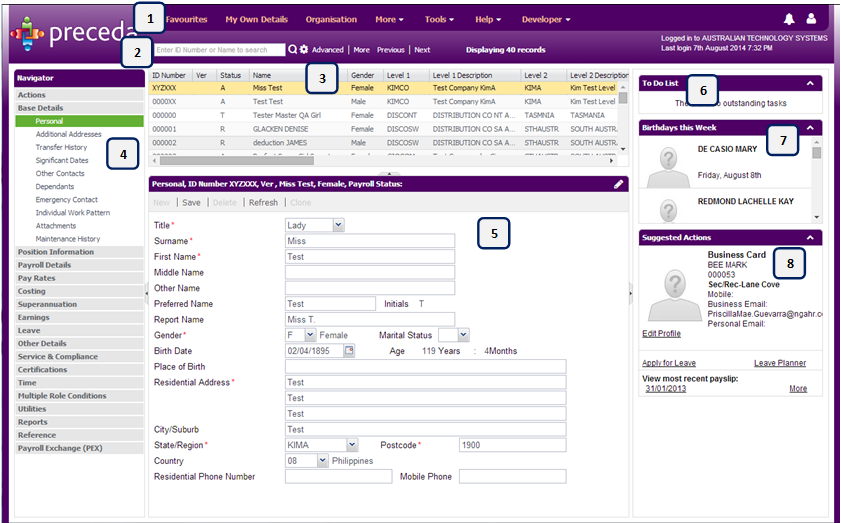
The folders and windows that you have access to will be displayed in the Navigator on the left side of the window. These options will vary depending on your setup. The opening window displays the system date and time of the last log in.
The Desktop contains the navigational and user interface components that can be used to interact with the system's database and back end. The components displayed will vary according to the setup of your system and the security privileges granted to you.
Please complete the form below to give us feedback. If you need any assistance with this functionality, please contact the Preceda Helpdesk.

|
How to navigate Preceda |
Version 14.2 Knowledge Base Copyright 2015 | Neller PTY LTD Trading as NGA Human Resources. All rights reserved. For feedback and comments please contact your account manager. |

|
Getting Started | |

|
About the Knowledge Base |
 1. Top Level Navigation